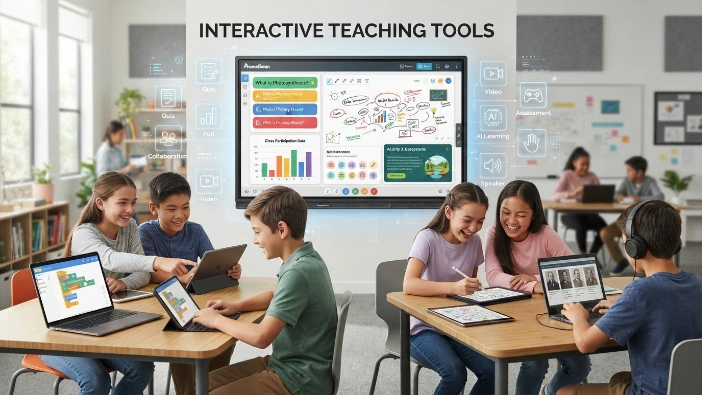
Interactive teaching tools are changing the way teachers explain lessons and the way students take part in them. Instead of only listening, reading, or copying notes, students can answer questions, solve problems, collaborate, play learning games, and receive feedback during the lesson.
This guide explains interactive teaching tools in simple language, including what they are, how they work, their benefits, classroom uses, and how teachers can choose the right ones.What Are Interactive Teaching Tools?
Interactive teaching tools are digital resources, platforms, and classroom technologies that allow students to actively take part in the learning process. They can include online quizzes, educational games, digital whiteboards, polls, interactive presentations, simulations, collaborative activities, and other technology-based learning experiences. The important part is not simply that a tool uses technology. It is that students have something meaningful to do, answer, create, explore, or discuss.
For example, imagine a teacher explaining a science lesson about the solar system. In a traditional lesson, students might read a textbook paragraph and listen to an explanation. With an interactive teaching tool, they could explore a digital model of the planets, answer questions about their positions, drag planets into the correct order, and immediately see whether their answers are correct. The technology becomes useful because it gives students a chance to interact with the subject instead of only receiving information.
How Do Interactive Teaching Tools Work?
Most interactive learning tools follow a simple idea: present information, ask students to interact with it, and provide some form of response or feedback. The interaction may happen individually, in pairs, or with the entire class. Depending on the tool, students might click an answer, write a response, move an object, draw on a shared board, complete a quiz, or work with classmates on the same activity.
Teachers can also use the information produced by these activities to understand how well students are following the lesson. If most students answer a question incorrectly, the teacher has an early signal that the topic may need another explanation. This makes interactive teaching tools useful not only for engagement but also for checking understanding while learning is still happening.
The goal of interactive learning is not to add more technology. The goal is to give students more meaningful opportunities to participate.
Interactive Teaching Tools vs. Traditional Teaching Methods
The biggest difference between interactive and traditional teaching is often the level of student participation. A traditional lecture can be useful for introducing information, but students may spend much of the lesson listening. Interactive teaching changes some of that time into opportunities for students to respond, practice, question, collaborate, and demonstrate what they understand.
| Traditional Approach | Interactive Approach |
|---|---|
| Teacher explains information | Teacher explains and students respond |
| Students mainly listen | Students actively participate |
| Assessment may happen later | Understanding can be checked during the lesson |
| One main learning format | Multiple ways to learn and respond |
| Feedback may take time | Some tools provide immediate feedback |
| Mostly teacher-led | More student-centered activities |
This does not mean traditional teaching should disappear. Good teaching usually combines different methods. A teacher may explain a difficult idea first, use an interactive activity to help students practice it, and then finish with a classroom discussion. The strength comes from choosing the right method for the learning goal rather than relying on technology for every part of a lesson.
Who Uses Interactive Educational Tools?
Interactive educational tools can be useful across many types of education. A primary school teacher may use a simple learning game, while a university lecturer might use live questions to check whether students understand a difficult concept. Tutors can use interactive exercises during one-to-one lessons, and online educators can use digital activities to make remote learning less passive.
They can also be adapted for different subjects and age groups. The important factor is choosing an activity that matches the students’ abilities and the purpose of the lesson.
Common users include:
- School teachers
- College and university instructors
- Tutors
- Online educators
- Homeschooling educators
- Corporate trainers
- Students learning independently
| Feature | What It Means |
|---|---|
| Main purpose | Encourage active student participation |
| Common examples | Quizzes, polls, games, whiteboards, simulations |
| Used by | Teachers, tutors, schools, and online educators |
| Student benefit | Practice, feedback, collaboration, and engagement |
| Teacher benefit | Easier participation and faster understanding checks |
A useful way to think about interactive teaching tools is to see them as a bridge between teaching and participation. They can turn a lesson from something students simply receive into something they actively experience. When used carefully, they can make learning more engaging without taking away the teacher’s most important role: explaining ideas, asking meaningful questions, guiding students, and understanding their individual needs.What Are the Main Types of Interactive Teaching Tools?

Interactive teaching tools come in many forms, and each type supports learning in a slightly different way. Some tools are designed mainly for assessment and feedback, while others help students collaborate, explore ideas, practice skills, or learn through games. A teacher does not need to use every type. The better approach is to choose a tool based on what students need to accomplish during the lesson.
For example, a quiz can be useful when a teacher wants to check understanding, while a digital whiteboard may be better for brainstorming or group problem-solving. Similarly, a simulation can help students understand something that is difficult to demonstrate in a normal classroom. The most effective interactive educational tools are therefore not necessarily the most complicated ones; they are the ones that make a particular learning activity easier, clearer, or more engaging.
Interactive Quiz and Assessment Tools
Quiz and assessment platforms allow teachers to ask questions and collect answers during or after a lesson. Students may answer multiple-choice questions, true-or-false questions, short responses, or other activities.
The major advantage is quick feedback. Instead of waiting until homework is marked, teachers can discover misunderstandings while the topic is still being taught.
Interactive Whiteboard and Collaboration Tools
Digital whiteboards provide a shared space where teachers and students can write, draw, organize ideas, solve problems, or add notes. They can be especially useful for brainstorming, group activities, diagrams, and project planning.
A collaborative whiteboard can also give students more opportunities to contribute. A student who does not usually speak in front of the class may feel more comfortable adding an idea digitally.
Interactive Presentation and Lesson Tools
Interactive presentation tools turn ordinary slides into activities where students can participate. Teachers can include questions, polls, videos, images, diagrams, and short tasks rather than presenting information from beginning to end.
This approach can break a long lesson into smaller learning moments. Students get regular opportunities to stop, think, answer, and connect the new information with what they already know.
Educational Games and Gamification Tools
Educational games use challenges, points, levels, rewards, or competition to make practice more interesting. They are often useful for revision, vocabulary practice, mathematics, spelling, and knowledge checks.
However, a game should still have a learning purpose. Entertainment alone does not guarantee learning. A well-designed educational game connects the activity directly to the skill or knowledge students are expected to develop.
Interactive Video and Multimedia Tools
Interactive videos allow teachers to place questions, explanations, or activities inside a video. Students may need to answer a question before continuing or make a choice based on what they have watched.
This can make video-based learning more active. Instead of simply watching a ten-minute explanation, students have reasons to stop, think, and demonstrate their understanding.
Virtual Simulations, AR, and VR Learning Tools
Simulations allow students to explore situations that may be difficult, expensive, dangerous, or impossible to reproduce in a classroom. A science student, for example, can explore a virtual experiment, while a history student might examine a digital recreation of an important place.
Interesting fact: Interactive simulations can allow students to repeat an activity several times without using physical materials each time. This makes experimentation and practice easier in some learning environments.
AI-Powered Interactive Teaching Tools
AI-powered educational tools can create practice questions, provide explanations, support personalized learning, and give students additional opportunities to practice. Some systems can adjust activities according to a learner’s responses.
AI can be helpful, but it should not replace the teacher’s judgment. A teacher understands context, emotions, classroom behavior, and individual needs in ways an automated system may not.
What Are the Benefits of Interactive Teaching Tools?
One of the biggest advantages of interactive teaching tools is that they can change students from passive listeners into active participants. When learners answer questions, solve problems, make choices, discuss ideas, or create something, they have more opportunities to process information. These activities can also help teachers notice confusion earlier instead of discovering it after a test.

Another important benefit is flexibility. Different students do not always learn in exactly the same way or at the same speed. Interactive activities can provide visual examples, repeated practice, immediate feedback, collaboration, and different ways to demonstrate understanding. However, technology itself is not a magic solution. Its value depends on how thoughtfully the teacher uses it.
Increase Student Engagement
Interactive activities give students something to do during a lesson. A simple question, poll, challenge, or discussion can encourage students to think about the material rather than simply watching the teacher.
Engagement is especially valuable when students have to make decisions or explain their reasoning. The activity becomes part of the learning process instead of being an interruption to it.
Provide Instant Feedback
Feedback helps students understand whether they are moving in the right direction. Interactive quizzes and exercises can sometimes show results immediately, allowing students to correct mistakes while the topic is still fresh.
For teachers, this feedback can also reveal patterns. If many students make the same mistake, the teacher can revisit that concept before moving forward.
Improve Collaboration and Communication
Many interactive classroom tools allow students to work together. They can share ideas, create projects, solve problems, or comment on each other’s work.
This can develop skills that go beyond academic knowledge. Students also practice communication, teamwork, listening, decision-making, and explaining their ideas.
Support Different Learning Needs
Interactive technology can offer information through text, images, audio, animation, video, and hands-on digital activities. This variety can make lessons more accessible to students with different learning preferences and needs.
Teachers should still make sure activities include appropriate accessibility features, such as captions, readable text, keyboard support, and alternative ways to participate.
Make Difficult Concepts Easier to Understand
Some concepts are difficult to explain using words alone. An animation, interactive diagram, simulation, or digital model can make an invisible or complicated process easier to visualize.
For example, students may understand the basic idea of a chemical reaction more easily after seeing a visual representation of how particles change.
Encourage Active Learning and Critical Thinking
Interactive teaching tools can ask students to predict, compare, solve, explain, and evaluate rather than simply remember information.
This is particularly useful when activities contain open-ended questions or problems that require students to explain why an answer is correct.
Save Teachers Time
Some digital tools can automatically check answers, organize responses, or produce basic performance reports. This can reduce repetitive administrative work.
The saved time can then be used for more valuable tasks, such as preparing lessons, giving individual feedback, or helping students who need additional support.
Quick Facts About the Benefits
| Benefit | How It Helps |
|---|---|
| Engagement | Gives students an active role |
| Feedback | Shows misunderstandings earlier |
| Collaboration | Encourages teamwork and communication |
| Practice | Gives students more chances to apply knowledge |
| Visualization | Makes complex ideas easier to see |
| Assessment | Helps teachers check understanding |
| Flexibility | Supports different learning activities |
Interesting fact: A student can sometimes learn more from discovering and correcting a mistake than from simply being shown the correct answer. This is one reason feedback-based interactive activities can be valuable.
How to Use Interactive Teaching Tools in the Classroom
The best way to introduce interactive teaching tools is to start with the lesson rather than the technology. First decide what students should understand or be able to do. Then select an activity that helps them reach that goal. For example, if the goal is to check vocabulary, a short interactive quiz may be enough. If the goal is collaboration, a shared workspace may be more suitable.

During the lesson, teachers should avoid turning every minute into a digital activity. Students still need explanations, conversations, reading, writing, reflection, and sometimes quiet thinking time. Interactive teaching works best when technology supports good teaching instead of becoming the lesson itself.
Before the Lesson
Before using an interactive classroom tool, teachers should prepare the activity and test it. A few minutes of preparation can prevent unnecessary technical problems during class.
Consider:
- What is the learning objective?
- What should students do with the tool?
- How much time should the activity take?
- Do students need accounts?
- Will the activity work on available devices?
- What will happen if the internet stops working?
During the Lesson
Start with clear instructions. Students should know what they are doing, why they are doing it, and how much time they have.
Teachers can begin with a quick poll or question, introduce the lesson, and then use another interactive activity to check understanding. If responses show confusion, the teacher can pause and explain the topic again.
After the Lesson
Interactive tools can also be useful at the end of a lesson. A short quiz, reflection question, or exit ticket can show what students understood before they leave.
Teachers can review these responses and use them to plan the next lesson. This creates a simple cycle: teach → interact → assess → adjust.
Interactive Teaching Tools for Different Subjects
Different subjects need different types of interaction.
| Subject | Useful Interactive Activities |
|---|---|
| Math | Problem-solving, graphs, digital manipulatives |
| Science | Simulations, experiments, diagrams |
| English | Vocabulary games, collaborative writing |
| History | Timelines, maps, virtual tours |
| Geography | Interactive maps and location activities |
| Computer Science | Coding exercises and simulations |
| Languages | Pronunciation, vocabulary, conversation practice |
Interactive Teaching Tools for Online Classes
Online teachers can use interactive tools to prevent remote lessons from becoming long periods of passive screen watching. Polls, digital whiteboards, quizzes, breakout activities, collaborative documents, and interactive videos can give students regular opportunities to participate.
A useful approach is to change the activity occasionally rather than keeping students in the same format for the entire session.
How to Choose the Best Interactive Teaching Tools
Choosing an interactive teaching tool can be difficult because there are many options available. A platform may have attractive features but still be unsuitable for a particular classroom. The best choice depends on age group, subject, class size, learning objectives, available devices, budget, accessibility, and teacher experience.
Teachers should also think about what happens after students complete an activity. A good tool should not only make participation easier but should ideally provide useful information that helps the teacher understand student progress. Before adopting a platform for regular use, it is sensible to test it with a small activity first.
Consider Your Learning Objective
Begin with the question: What should students learn from this activity?
If students need to memorize vocabulary, a quiz or practice game may work well. If they need to debate an idea, a collaboration or discussion tool may be more appropriate.
Check Ease of Use
A complicated tool can consume valuable classroom time. Teachers should look for clear navigation, simple instructions, and an interface students can understand without constant assistance.
The goal is to make learning easier, not create another problem for students and teachers.
Look at Student Participation Features
Consider whether the tool allows students to:
- Answer questions
- Share ideas
- Draw or annotate
- Collaborate
- Create content
- Receive feedback
- Work independently
Check Device Compatibility
Before selecting a platform, check whether it works on the devices students actually use. A tool that works well on a laptop may not provide the same experience on a phone or tablet.
Internet requirements should also be considered, especially in classrooms where students may have different levels of connectivity.
Consider Cost and Free Plans
Some interactive educational tools are free, while others use subscriptions or school licenses. Free versions may also have limits on students, activities, storage, or available features.
Teachers should look beyond the advertised price and consider the total cost of regular classroom use.
Review Privacy, Security, and Accessibility
Student information should be handled carefully. Teachers and schools should understand what information a platform collects, how accounts work, and what privacy protections are available.
Accessibility matters too. Students should have reasonable ways to participate regardless of their physical or learning needs.
Check Reporting and Assessment Features
If assessment is an important part of the activity, look at how results are presented. Useful reports can help teachers identify patterns rather than simply showing a final score.
Best Practices for Using Interactive Teaching Tools Effectively
Using more technology does not automatically create a better learning experience. A classroom can contain impressive digital tools and still fail to engage students if the activities have no clear purpose. The strongest approach is to use technology selectively, giving students meaningful tasks that connect directly to the lesson.
Teachers should also remember that interaction is not limited to clicking buttons. Asking students to explain an answer, debate an idea, solve a real problem, or create something together is also interactive learning. Digital tools simply provide additional ways to make these activities possible.
Do Not Use Technology Just for the Sake of Technology
Before adding a tool, ask whether it actually improves the activity. If a simple question on paper achieves the same result more effectively, there may be no reason to use an app.
Keep Activities Connected to Learning Goals
Every activity should have a reason. A game should reinforce a skill, a poll should reveal understanding, and a simulation should help students explore a concept.
Give Students Clear Instructions
Students should understand the task before they start using the tool. Explain the objective, demonstrate unfamiliar features, and provide enough time to complete the activity.
Balance Screen Time With Human Interaction
Digital activities should be balanced with conversation, writing, reading, physical activities, and face-to-face collaboration.
A classroom should remain a place where students talk, question, listen, think, and work together, not simply stare at screens.
Have a Backup Plan
Technology can fail. Internet connections can drop, devices can stop working, and students can have login problems.
A teacher should have a simple alternative activity ready so that learning can continue without unnecessary disruption.
Use Student Data to Improve Teaching
The most useful information from an interactive activity is not always the final score. Teachers can look for repeated mistakes, unanswered questions, or concepts that many students struggle with.
This turns assessment into a teaching tool rather than simply a measurement at the end.
Interesting Facts About Interactive Teaching Tools
Interactive teaching is closely connected with the broader idea of active learning, where students participate in the process instead of only receiving information. Digital technology has made it easier to bring active-learning activities into classrooms, but the underlying idea existed long before computers.
Here are some useful facts to keep in mind:
- Interaction does not always require expensive technology. A teacher can create an interactive lesson with simple questions, group discussions, and classroom activities.
- Immediate feedback can help identify misunderstandings early, giving teachers an opportunity to reteach difficult concepts.
- Gamification and game-based learning are not exactly the same. Gamification adds game-like elements such as points or rewards, while game-based learning uses an actual game structure to support learning.
- Interactive tools can support both individual and group learning.
- The quality of the activity matters more than the number of digital features.
- Accessibility should be considered from the beginning, rather than added only after a problem appears.
- Teacher guidance remains important, even when an activity is highly automated.
One of the most important facts is simple: students learn through thinking and doing, not merely through exposure to information. Interactive technology can encourage that process when it is designed around meaningful learning tasks.
Frequently Asked Questions
What are interactive teaching tools?
Interactive teaching tools are resources that allow students to actively participate in lessons instead of only listening to a teacher or reading information. They can include quizzes, polls, educational games, digital whiteboards, interactive presentations, simulations, collaborative platforms, and AI-powered learning activities. Students may use these tools to answer questions, solve problems, create content, discuss ideas, or receive feedback. Their main purpose is to make learning more active and provide teachers with better opportunities to understand student progress. However, a tool is only useful when it supports a clear learning goal. Simply adding technology to a classroom does not automatically make a lesson interactive or effective.
What are some examples of interactive teaching tools?
Examples include interactive quizzes, digital whiteboards, educational games, live polling systems, interactive presentations, multimedia activities, virtual simulations, collaborative workspaces, and AI-based learning platforms. A teacher might use a quiz to check understanding, a whiteboard for group brainstorming, or a simulation to help students explore a difficult scientific concept. Interactive videos can also include questions that require students to think before continuing. The right example depends on the subject, age of the learners, classroom environment, and learning objective. Teachers should focus on what students need to accomplish rather than selecting a tool simply because it has many features.
How do interactive teaching tools improve student engagement?
Interactive teaching tools can improve engagement by giving students an active role during a lesson. Instead of spending the entire class listening, students can answer questions, make decisions, solve problems, collaborate, and receive feedback. These activities can also create more variety, which may help maintain attention during longer lessons. Another advantage is that teachers can involve the whole class at once. For example, a live question can allow every student to submit an answer rather than relying on only a few students to raise their hands. Still, engagement depends on the quality of the activity. A fun tool without meaningful learning can quickly become a distraction.
Are interactive teaching tools suitable for online learning?
Yes, interactive teaching tools can be particularly useful for online learning because they give remote students additional ways to participate. Online teachers can use polls, quizzes, virtual whiteboards, interactive videos, collaborative activities, and digital discussion spaces to make lessons more active. These activities can reduce the feeling that students are simply watching a teacher through a screen. However, online educators should avoid filling every moment with digital tasks. Students still need opportunities to think independently, communicate, read, write, and discuss ideas. Teachers should also consider internet speed, device compatibility, accessibility, and whether students are comfortable using the selected platform.
How should teachers choose interactive teaching tools?
Teachers should choose interactive teaching tools according to their learning objectives, students, subject, available technology, budget, accessibility needs, and required features. Start by deciding what students should learn or practice, then find a tool that supports that goal. Ease of use is also important because complicated platforms can waste classroom time. Teachers should check whether the tool works on available devices and whether it protects student information appropriately. It is also useful to test a platform before using it with an entire class. The best tool is not necessarily the most advanced one; it is the one that makes the intended learning activity more effective.
Final Thoughts on Interactive Teaching Tools
Interactive teaching tools can make learning more active, engaging, and responsive when they are used with a clear purpose. From simple quizzes and polls to digital whiteboards, simulations, educational games, and AI-powered activities, teachers now have many ways to involve students in the learning process. The most valuable feature of these tools is not their technology but the opportunity they create for students to think, respond, practice, collaborate, and receive feedback.
At the same time, technology should never become a replacement for thoughtful teaching. A strong lesson still depends on a teacher who understands the students, explains difficult ideas clearly, asks useful questions, and knows when to change direction. The best interactive teaching tools simply give teachers more ways to create those learning experiences and help students become active participants in their own education.
READ NEXT POST : Blooket: A Complete Guide to Games, Learning, and Classroom Fun