
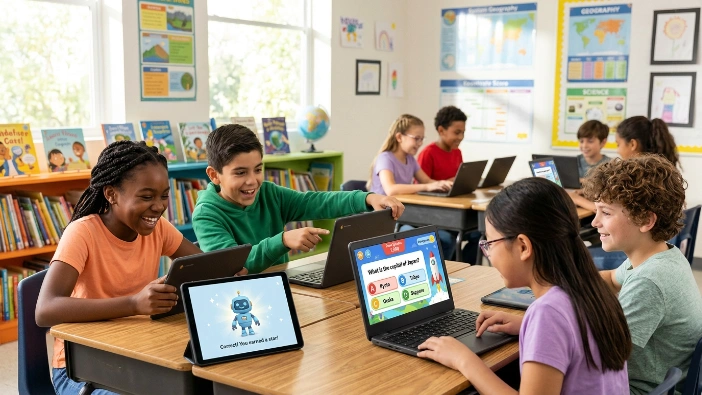
Blooket is a game-based learning platform that turns ordinary questions into interactive activities. Instead of asking students to complete a standard quiz and simply look at their scores, Blooket places those questions inside different game experiences. Students answer questions while trying to progress, collect rewards, compete with classmates, or complete a challenge.
The idea is simple, but the experience can feel quite different from traditional classroom review. A teacher can use the same set of questions in different Blooket game modes, allowing students to practice the same subject through a new type of activity. This makes Blooket useful for quick review sessions, classroom practice, homework, and independent learning.
What Does Blooket Mean?
The word Blook is closely connected to the platform’s identity. Blooks are the small characters that students can use and collect while playing. They give the platform a more playful feeling and help make the experience feel like a game rather than another school assignment.
At its core, however, Blooket is still built around questions and answers. The game is the layer that makes the practice more engaging. This is important because Blooket is not designed to replace teaching itself. Instead, it gives teachers another way to help students review information they are already learning.
How Does Blooket Work?
The basic Blooket experience connects three things: a question set, a game mode, and the players. A teacher can choose an existing question set or create one, select a game mode, and invite students to participate. Students then answer the questions while the selected game determines what happens next.
This approach gives teachers some flexibility. For example, one class might use a fast-paced mode for a short review before a test, while another activity could use a strategy-based mode that gives students more time to think. Blooket currently offers more than 25 game modes, although the available options can depend on whether a mode is intended for live play, solo or homework use, or a paid plan.
Who Uses Blooket?
Blooket is mainly associated with teachers and students, especially in classroom environments. Teachers can use it to review vocabulary, mathematics, science concepts, history, language skills, and many other subjects. Students can participate from their own devices while the teacher manages the activity.
It can also be useful outside a live classroom. Students may use supported modes for independent practice, while teachers can assign activities as homework. This gives Blooket a wider purpose than simply being a classroom competition.
Blooket at a Glance
| Feature | What It Offers |
|---|---|
| Main purpose | Game-based learning and review |
| Users | Teachers and students |
| Main content | Question sets |
| Gameplay | Multiple interactive game modes |
| Student options | Live, solo, and supported homework activities |
| Game characters | Blooks |
| Learning areas | Multiple school subjects and topics |
Blooket is therefore best understood as a learning tool wrapped in a game experience. The questions provide the educational purpose, while the game mechanics provide motivation and interaction. That combination is what makes the platform different from a basic online quiz.
Why Is Blooket Popular With Students and Teachers?
One reason Blooket has attracted attention is that it changes the feeling of classroom review. Students who might find repeated question-and-answer practice boring may become more interested when the same material is connected to a game. The competitive and reward-based elements can give students a reason to stay involved throughout an activity.
For teachers, the attraction is more practical. Instead of building an entirely different activity for every review session, they can use question sets and select different game formats. This allows the teacher to adjust the activity depending on the lesson, the amount of available time, and the type of practice students need.
The key idea behind Blooket is simple: learning questions become part of a game instead of remaining only a traditional quiz.
That does not mean every Blooket session automatically creates better learning. The quality of the questions, the way the teacher introduces the topic, and what happens after the game all matter. A fun game can encourage participation, but students still need meaningful explanations and opportunities to understand why an answer is correct.
What Makes Blooket Different From a Normal Quiz?
A normal online quiz usually focuses on answering questions and receiving a score. Blooket adds another layer by connecting correct answers to gameplay. Depending on the selected mode, answering questions can help a player earn resources, build progress, compete against others, or reach a particular goal.
This difference can make review feel less repetitive. However, the platform works best when the game supports the lesson rather than becoming the entire lesson. A teacher can use Blooket to introduce practice, reinforce important ideas, or check understanding, then use the results to decide what students need to study next.
How Does Blooket Work for Students?
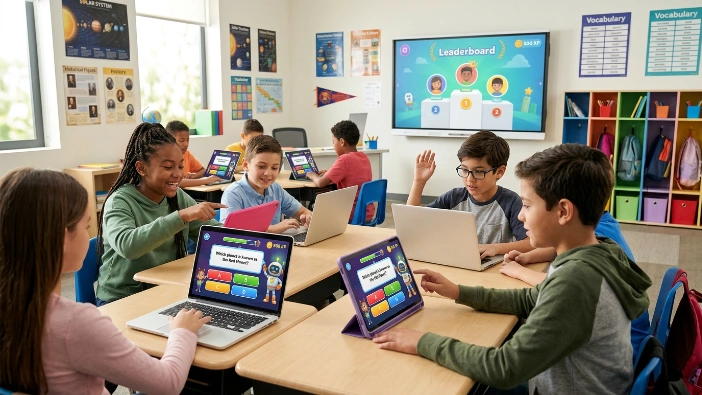
For students, Blooket is fairly simple to use once a teacher has started an activity. In a live classroom game, the teacher creates or chooses a question set, selects a game mode, and starts the session. Students then use the provided game ID to join and answer questions as the activity progresses. The current Blooket play screen specifically provides a Game ID field for joining a game.
The important part is that students are not simply answering questions one after another. Their answers become part of the selected game. Depending on the mode, students may collect resources, build progress, compete against classmates, or work toward another objective. This means the Blooket game mode changes how the learning activity feels even when the underlying questions remain the same.
How to Join a Blooket Game
Joining a Blooket game usually starts with information provided by the teacher. Students need the appropriate game ID or joining information, and they enter it into the Blooket play interface. After joining, the student can follow the on-screen instructions and wait for the host to begin the activity.
A simple joining process looks like this:
- Open the Blooket play page.
- Enter the Game ID supplied by the teacher.
- Enter the requested player information.
- Choose a Blook when the option is available.
- Wait for the host to start the game.
- Answer the questions and follow the rules of the selected game mode.
The exact experience can vary because Blooket supports different types of activities. The current platform also has dedicated homework and solo-style experiences, so not every Blooket activity requires students to participate in a live classroom game.
What Is a Blooket Game Code?
A Blooket game code is the information students use to enter a hosted game. It connects the student’s device with the particular activity the teacher has started. This makes it possible for a classroom to participate in the same game without every student having to search for the activity manually.
It is worth remembering that a game code is different from the question set itself. The question set contains the educational questions, while the live game session is the activity students join. This separation gives teachers more flexibility because the same question material can potentially be used with different game formats.
Do Students Need a Blooket Account?
Not every student needs to create an account simply to participate in a live activity. This can make classroom joining easier because a teacher can provide the joining information and students can get into the activity without going through a lengthy setup process.
However, having an account can provide additional personalization and platform features. Blooket’s current sign-up system separates users into Student and Teacher account types, showing that the platform is designed around different experiences for the two groups.
How to Play Blooket Solo
Blooket solo play is useful when there is no live classroom host. Instead of competing with classmates in a teacher-led session, students can choose an available activity and practice on their own. This can be helpful when a student wants additional review before a test or wants to revisit a topic outside class.
Blooket’s current play environment includes solo or homework-oriented choices such as Fishing Frenzy, Zorblitz, Pirate Pool, Tower Defense 2, Monster Brawl, Tower Defense, Café, Factory, Crazy Kingdom, and Study, although available choices can change by activity.
Can Blooket Be Used for Homework?
Yes. Blooket supports homework-style activities in which students can complete an assigned experience outside a live classroom session. This gives teachers another way to provide practice without requiring everyone to be online at exactly the same time.
Interestingly, the current homework interface can show information about a selected activity, including its difficulty, skills, ideal time, and question frequency. Some assignments can also have game modes selected by the person assigning the homework, so students may not always be able to choose the mode themselves.
How to Host a Blooket Game as a Teacher
For teachers, hosting a Blooket game starts with choosing the learning material. A teacher can work with an existing question set or prepare questions for a particular lesson. After selecting the content, the teacher chooses a suitable game mode and adjusts the available settings before inviting students to participate.
This is where Blooket becomes more than a simple quiz tool. The teacher can think about the learning objective first and then choose a game experience that supports it. A short review may work better with a fast activity, while a longer lesson could benefit from a mode that gives students more strategic choices.
How Teachers Create or Find Blooket Question Sets
A Blooket question set is essentially the educational content that powers the activity. It can contain questions about mathematics, science, vocabulary, history, languages, or almost any other subject a teacher wants students to review.
Teachers do not always have to start from an empty page. Using existing sets can save preparation time, while creating a custom set gives the teacher greater control over the questions and difficulty. The best choice depends on whether the goal is quick review or a lesson-specific activity.
How to Host a Blooket Game
The basic hosting process can be understood as a short workflow:
- Choose or create a question set.
- Select Host.
- Choose an available Blooket game mode.
- Adjust the settings.
- Start the session.
- Give students the joining information.
- Monitor the activity while students answer questions.
The teacher’s role does not end when the game begins. Watching how students perform can provide useful information about which topics they understand and where additional explanation may be needed.
What Settings Can Teachers Control?
Blooket settings can vary according to the selected game mode, but teachers may have options that affect how the classroom activity operates. These can influence things such as how students join, how the game progresses, and how much control students have during the activity.
Rather than changing every available setting, teachers should focus on the settings that support the lesson. A complicated setup is not necessarily a better one. In many cases, a straightforward game with clear rules makes it easier for students to focus on the questions.
Can Teachers Use Blooket for Homework?
Blooket can also be used when students are not sitting together in the same classroom. Homework activities allow teachers to assign a learning experience that students can complete independently.
The current Blooket homework interface shows several modes designed for this type of use, including Study, Fishing Frenzy, Tower Defense, Monster Brawl, and other options. The available experience can depend on what the person assigning the homework has selected.
Quick Teacher Information
| Teacher Feature | Purpose |
|---|---|
| Question Sets | Provides the questions students answer |
| Host | Starts a live classroom activity |
| Game Modes | Changes the gameplay experience |
| Settings | Adjusts aspects of the activity |
| Homework | Allows assigned practice outside live sessions |
| Student Join | Lets students enter the hosted activity |
A useful way to think about the process is content first, gameplay second. The questions should match what students are expected to learn, while the game mode should make practicing those questions more engaging.
Blooket Game Modes Explained
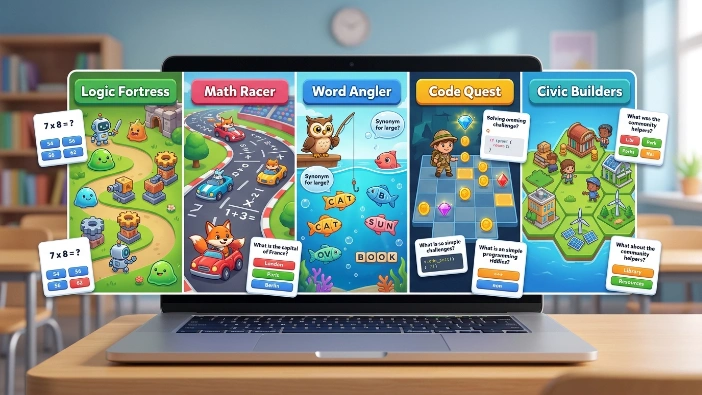
Blooket game modes are one of the platform’s most important features because they determine what happens after students answer questions. Instead of forcing every activity into the same quiz format, Blooket gives teachers and students different gameplay experiences.
The platform’s current homework and play interfaces show a variety of modes, including Fishing Frenzy, Zorblitz, Pirate Pool, Plushie Panic, Tower Defense 2, Monster Brawl, Tower Defense, Café, Factory, Crazy Kingdom, and Study. The selection can vary depending on the type of activity and availability.
What Are Blooket Game Modes?
Think of a game mode as the rules of the game surrounding the questions. Students may receive the same educational questions, but the way they use correct answers can change depending on the mode.
For example, one activity may focus on speed and luck, while another can emphasize accuracy and strategy. The current Blooket homework interface even describes activities using categories such as skills, difficulty, ideal time, and question frequency, which helps show that different modes are designed to create different types of practice.
Popular Blooket Game Modes
Some Blooket game modes have become particularly recognizable among teachers and students. Tower Defense combines question answering with a defensive strategy experience, while Café and Factory use different gameplay ideas to give students another reason to continue answering questions.
Other modes provide different styles of competition and practice. Fishing Frenzy, for example, is currently described around fishing and includes speed and luck as key skills, while Pirate Pool emphasizes accuracy and strategy in its current homework interface.
Which Blooket Game Mode Is Best?
There is no single Blooket game mode that is best for every classroom. The right choice depends on the purpose of the activity, the age of the students, the amount of time available, and how much competition the teacher wants.
A simple way to choose is:
| Learning Goal | Suitable Approach |
|---|---|
| Quick review | Fast-paced game |
| Independent practice | Solo or Study-style activity |
| Strategy practice | Strategy-focused mode |
| Homework | Assigned homework-compatible mode |
| Classroom competition | Multiplayer live mode |
| Longer review | Mode with more progression |
The most important point is that gameplay should support learning rather than distract from it. If students remember the game but cannot remember the lesson, the activity needs better balance.
Blooket Blooks, Question Sets, and Rewards
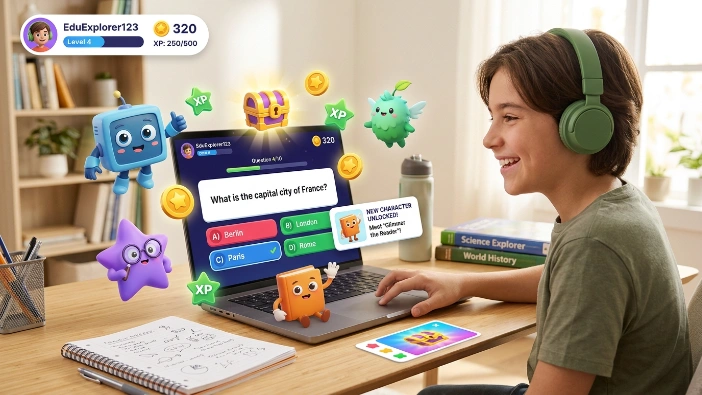
Blooks are the recognizable characters associated with Blooket. They give students something visual and collectible to interact with while they play. This small feature helps create a sense of identity because students can feel that their gameplay has a personal element rather than being just another classroom quiz.
Question sets are the other major part of the system. They contain the actual educational material. Together, Blooks + question sets + game modes create the main Blooket experience.
What Are Blooks in Blooket?
A Blook is essentially a collectible character used within Blooket. Students can encounter different Blooks and use them as part of their gameplay experience.
Although Blooks add a fun collection element, they are not the educational content itself. The questions remain the core learning component. Blooks mainly help make the platform feel more like a game and give students something recognizable to associate with their participation.
What Are Blooket Question Sets?
A Blooket question set is a collection of questions organized around a subject, topic, skill, or lesson. A teacher might use one for multiplication practice, vocabulary review, science concepts, historical facts, or another learning objective.
The strength of this system is reusability. Once suitable questions exist, they can be used as the foundation for different types of activities. This can save teachers time and also prevent students from seeing review as exactly the same exercise every time.
How Do Students Earn Blooket Tokens and XP?
Blooket includes progression and reward elements that can make repeated participation feel more meaningful. Depending on the activity and account features available, students can work toward in-game rewards and progression.
However, these rewards should be viewed as motivation rather than a measurement of academic ability. A student who performs well in a game may be quick at answering questions, familiar with the material, or simply comfortable with that particular game format. Teachers should still use broader evidence when judging whether students truly understand a topic.
Is Blooket Free? Features, Benefits, and Limitations
Blooket offers a free experience, while some additional capabilities are associated with Blooket Plus. Because educational platforms can change their plans and feature availability over time, teachers should check the current options before planning an activity around a specific paid feature.
For most users, the important question is not simply whether Blooket is free. It is whether the available features are enough for the kind of classroom activity they want to create. A teacher running occasional review games may have different needs from someone using Blooket regularly across multiple classes.
Is Blooket Free to Use?
Yes, Blooket provides free ways for teachers and students to use the platform. Students can participate in games and access supported activities without necessarily needing a paid account.
However, some features, game modes, or advanced capabilities may have different availability depending on the account or plan. This is why it is better to think of Blooket as having a free core experience with optional additional features, rather than assuming every feature is available to everyone.
What Is Blooket Plus?
Blooket Plus is the platform’s paid offering for users who want additional capabilities beyond the basic experience. The exact features and plan details can change, so they should be checked when making a purchasing decision.
For teachers, a paid plan may be worth considering when Blooket is used frequently and the additional tools directly support classroom needs. If the platform is only used occasionally for simple review games, the free experience may already cover the basic purpose.
What Are the Benefits of Blooket?
Blooket’s biggest advantage is that it can make repetitive practice feel more interactive. Students are still answering educational questions, but the game mechanics can give them another reason to remain involved.
Other potential benefits include:
- Different game formats for different learning situations.
- Opportunities for live classroom participation.
- Solo and homework-style activities.
- Reusable question sets.
- A visual and collectible Blook system.
- Quick review without creating an entirely new activity each time.
What Are the Limitations of Blooket?
Blooket is not automatically effective simply because it is entertaining. A poorly designed question set can still produce poor learning, even when the game itself is enjoyable.
Competition can also affect the classroom differently from one group to another. Some students enjoy competitive activities, while others may feel uncomfortable with speed-based or highly competitive games. Teachers therefore need to consider their students and use Blooket as one learning strategy among several, rather than relying on it for every type of instruction.
Blooket FAQs
What Is Blooket Used For?
Blooket is used mainly for educational review and practice through interactive games. Teachers can create or choose question sets and place those questions into different game modes. Students answer questions while participating in the selected activity.
It can be useful for classroom revision, vocabulary practice, mathematics drills, science review, history questions, and many other subjects. Blooket can also support solo and homework-style activities, making it useful beyond a live classroom. The main benefit is that it adds a game layer to ordinary question practice. However, it works best when teachers connect the activity to a clear learning goal rather than using it simply because students enjoy games.
Is Blooket Free?
Blooket has a free version that allows teachers and students to use the platform for its core learning and gaming experience. Students can participate in supported activities, while teachers can create or use question-based activities.
The platform also has Blooket Plus, which provides additional capabilities for users who need more than the basic experience. Because features and plans can change, users should check the current plan information before paying for a specific feature. For occasional classroom review, the free experience may be sufficient, while frequent users may find additional features more useful.
How Do You Join a Blooket Game?
To join a Blooket game, students generally need the Game ID or joining information provided by the host. They enter that information on the Blooket play screen and then follow the instructions shown on their device.
After joining, students may select a Blook and wait for the teacher to begin. Once the game starts, they answer the questions and participate according to the selected game mode. The exact experience can vary between activities, but the basic process is designed to be simple enough for students to enter a classroom game without a complicated setup.
What Is a Blook in Blooket?
A Blook is a collectible character used within Blooket. Blooks help give the platform its distinctive game-like personality and allow students to have a visual character associated with their gameplay.
Blooks are separate from the actual educational questions. The questions provide the learning content, while Blooks are part of the game and collection experience. This distinction is useful because it shows how Blooket combines education with familiar game elements. Students may enjoy collecting or selecting Blooks, but the real academic value still comes from the questions they answer and the feedback they receive.
Can You Play Blooket by Yourself?
Yes, Blooket can be played independently in supported solo experiences. Students do not always need a teacher and a classroom full of classmates to use the platform. Blooket’s current play environment includes several solo or homework-oriented activities, including options such as Study, Fishing Frenzy, Tower Defense, Monster Brawl, and others.
Solo play can be particularly useful for revision because students can practice at their own pace. It can also help when a student wants additional exposure to a topic outside normal class time. However, independent gameplay should still be combined with proper studying and explanation when a student does not understand an answer.
Final Thoughts on Blooket
Blooket combines educational questions with game mechanics to create a different approach to classroom review. Its biggest strength is flexibility: teachers can work with question sets and choose from different game experiences, while students can participate through live games or supported independent activities.
The platform is not a replacement for good teaching, but it can be a useful addition to it. When the questions are well designed and the game mode matches the lesson, Blooket games can make practice more engaging without losing sight of the learning goal.
The simplest way to understand Blooket is this: the questions provide the learning, while the game provides the experience. When those two parts work together, Blooket can turn an ordinary review session into something students are more willing to participate in.
Read also next : Best AI-Powered Tutors for Education: Top AI Tutors for Students


hi